I juggle quite a few things.
Some commercial apps, a SaaS EVM indexer, a SaaS documentation editor, an AI company with several products, a consulting company with blockchain and AI focus, an AI music video maker, a liquidity-lockup protocol, a newborn at home, I'm writing a science fiction book, and I occasionally manage RMRK infrastructure, though this is mostly agent-driven today.
On top of that, I have real estate to maintain, tenants to manage, and an apocalypse shelter to stock and proof. That's a lot of tasks and a linear list of todos isn't always useful in such a chaos.
When I was pulling my hair out one day due to feeling overwhelmed, my wife told me about the Eisenhower matrix. I looked into it, but all the existing todo apps that introduced it felt... lazy.
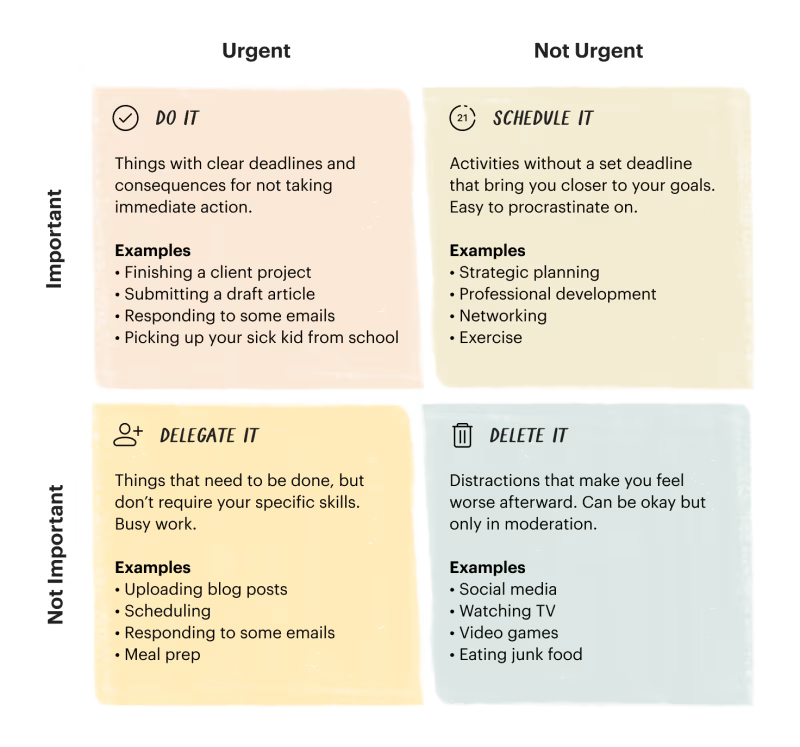
Importance is not just "high" or "low". Effort or urgency is not just "high" or "low". It's a spectrum, and a visual position on that spectrum can really help you differentiate.
Additionally, I don't agree with their matrix's emphasis on urgency in the quadrants. I think urgency can be communicated with a different visual indicator (a pulse, or task size), and that a very important attribute is EFFORT or "complexity" of a task. The harder it is to do and the lower priority it is, the more discardable it becomes.
So I built it my own version.
Eisengrid is my ultimate task manager, and I'm dogfooding it obsessively. Every time I find a missing feature, I add it. It's the task manager that grows with me.
The initial screen is the matrix itself.
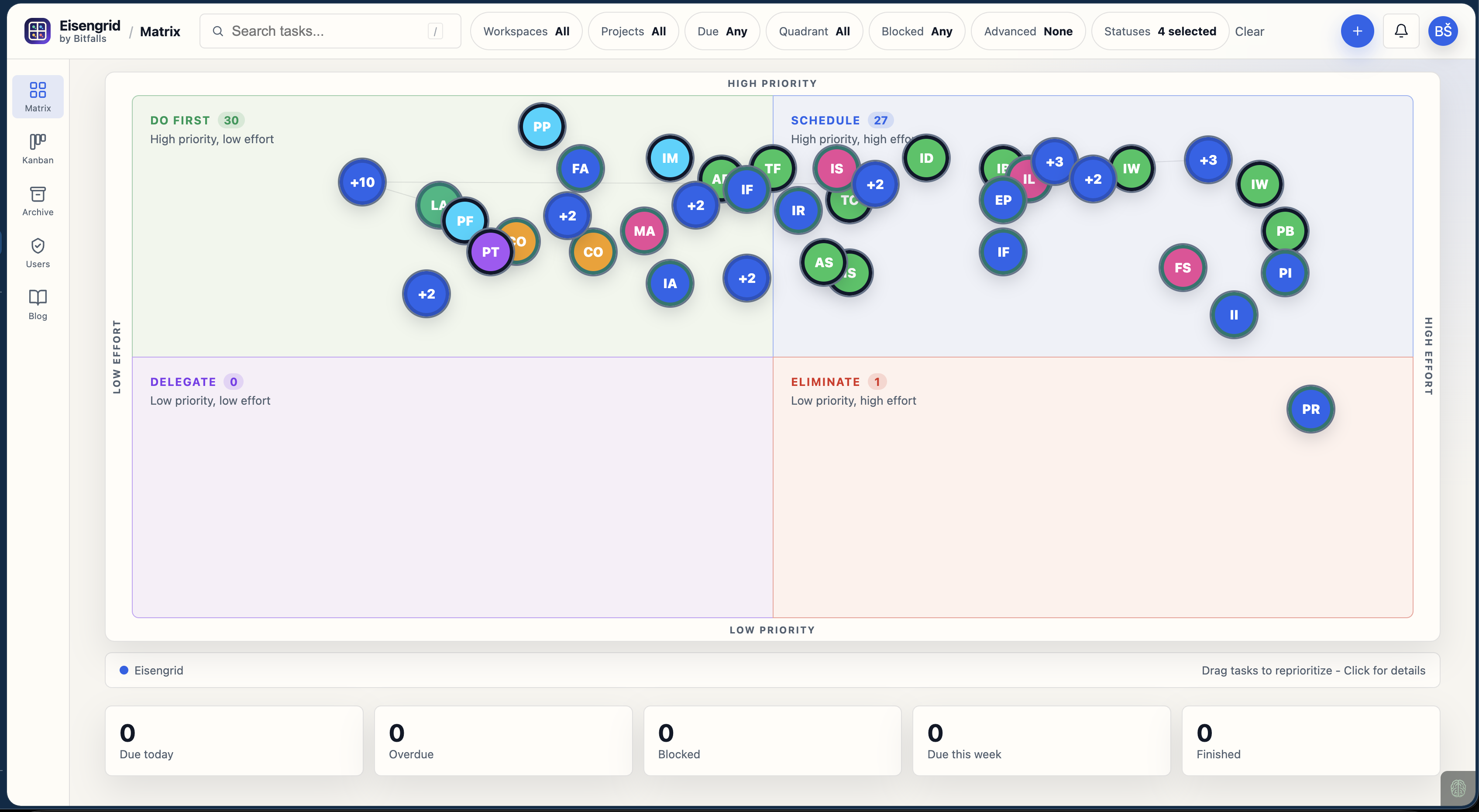
It looks a bit crowded because all of my tasks are open and shown right now, but it really helps me make sure I only keep the ones worth keeping, and to prioritize, especially as I filter by context. When I'm at the apocalypse house, I just turn on apocalypse context and we're good to go - I only see tasks for that location.
Tasks too close together visually stack into expandable stacks which fan out on hover/tap, and let you pick the one you're looking for. Blockers are shown with lines and all other tasks fade out, so you can see how important a blocker or blocked task really is.
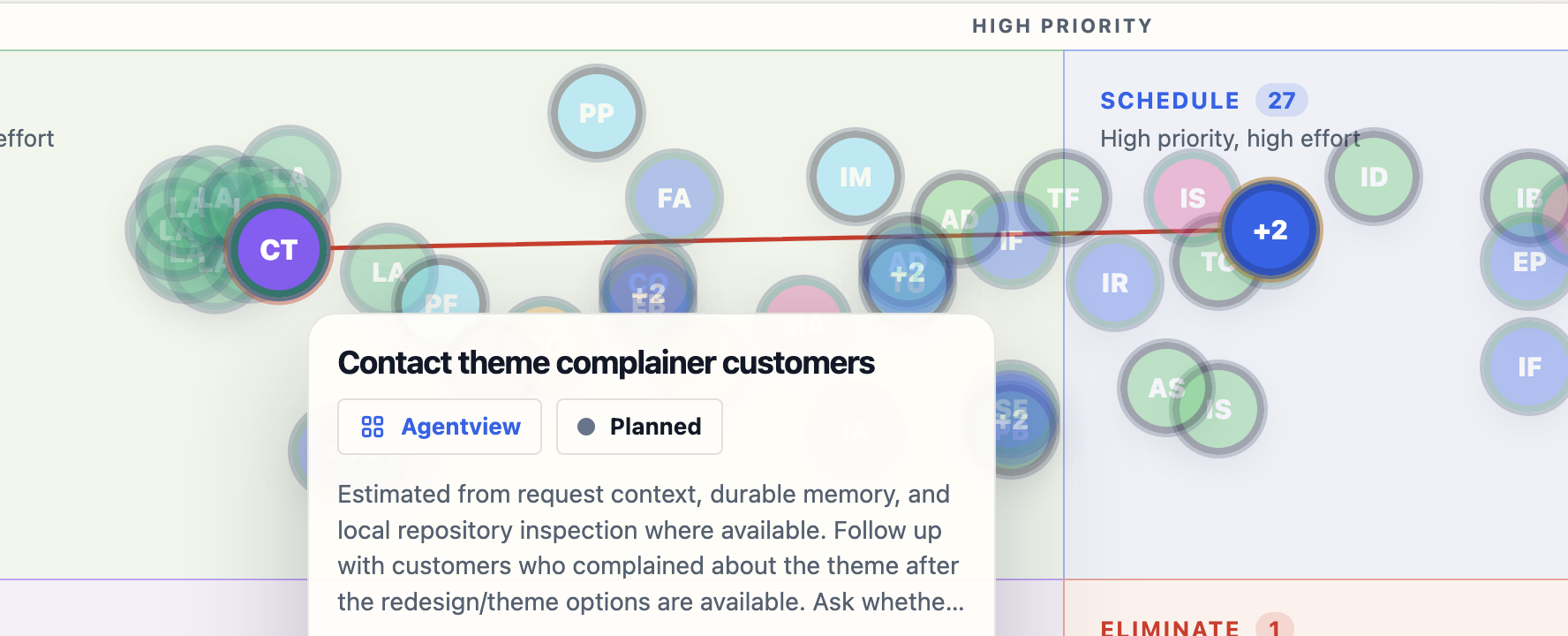
Tasks have rich editing fields, attachments, comments, everything you might expect from a modern task manager.
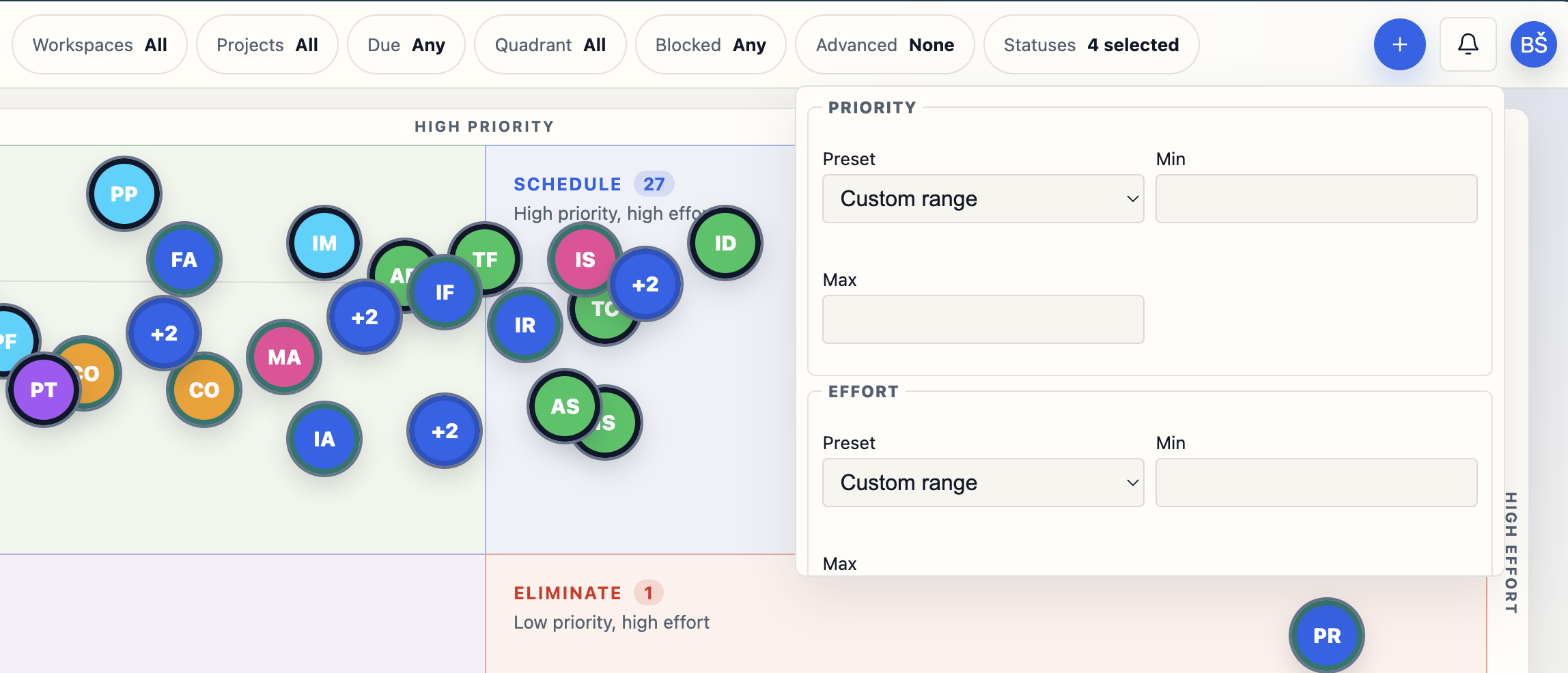
Rich filters allow you to filter by status, prio level, etc. and to bookmark filter params (which are exposed in the URL) so you can quickly access sub-contexts.
If you need more structure, something more traditional, you can always switch to Kanban mode, and see all your tasks there under the same filter conditions, so quick swapping between views is a click / tap away.
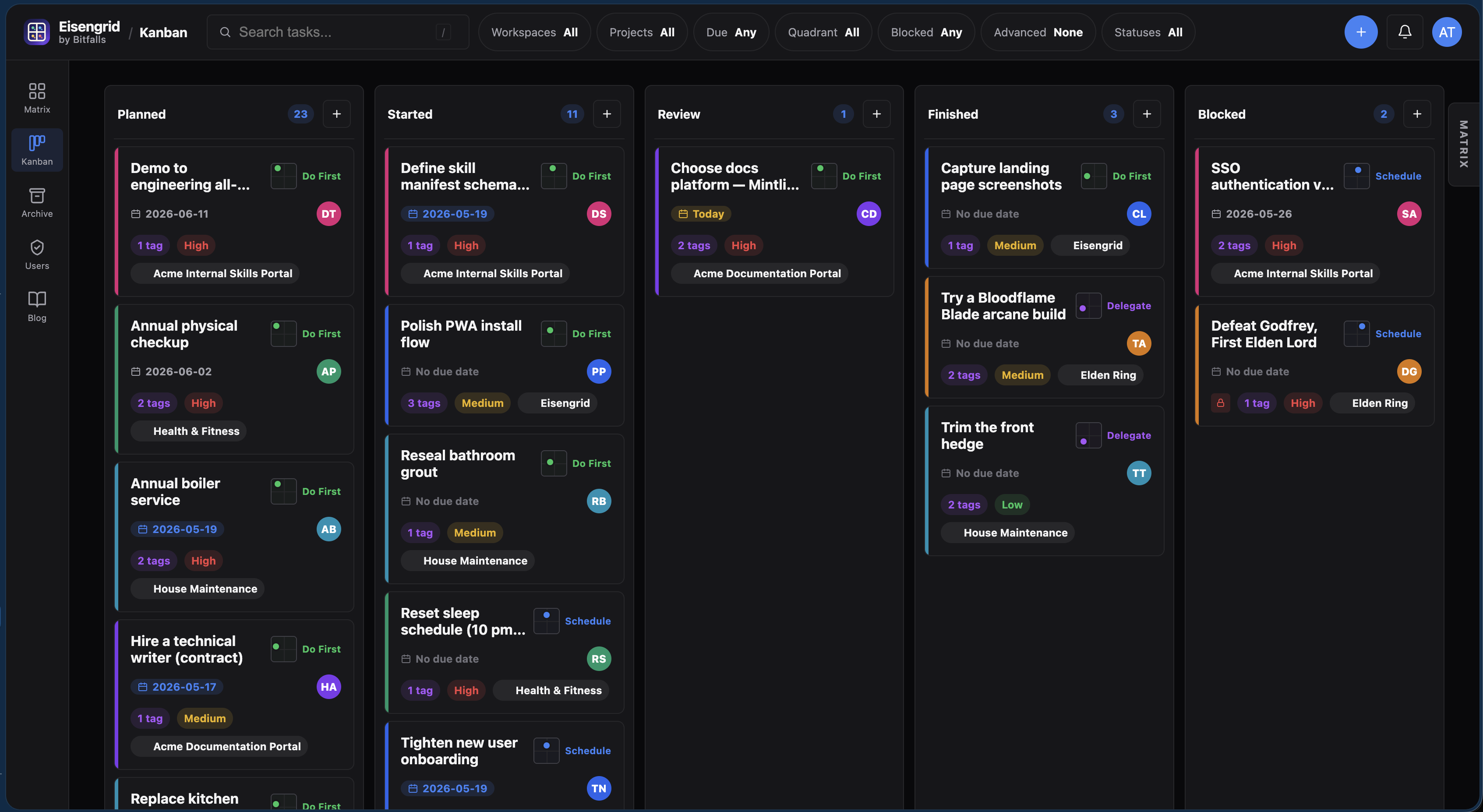
The app has theming built in - 4 to being with, and more to be added.
Email reminders are built-in, but it also supports Telegram pings for when your tasks are due or statuses change, or tasks get auto-archived. Notifications are granular, so you can define what you're notified about and under which conditions and through which channel. Need task due reminders on Telegram but comment reminders on email? No problem.
Tasks can be made Ethereal, which means if they're not marked done by the end of X days, they auto-archive. You can always find them and bring them back, but it's a great way to filter out things that you're not sure are unimportant, but prove themselves to be unimportant by - disappearing.
There's even a basic rule engine which lets you define auto-ethereal mode for certain prio/effort ranges, to that if a task is low prio and high effort enough, it becomes "temporary" on its own.
Private vault mode is another gem in the tool arsenal, explained in the changeblog.
One of the coolest features, though, is the LLM-friendliness. Eisengrid comes with its own LLM skill file and a comprehensive API and PAT system, so you can generate a token for your harness (Codex, Claude, Cursor...) and just have them manage your tasks.
I have an automation set up via Caimeo Brainstack where my assistant agent checks my task list every day, gives me the top 3 I could do that day, and helps me knock them out. If I need to add a task, I just send a TG message to my AI assistant to do it, and it's immediately added - with the LLM guesstimating priority and effort if I don't provide those values.
I'll show you this workflow another time. For now, I'd be happy to see more people try out Eisengrid - I'm very receptive to feedback, and you can find a basic feedback form in the avatar menu.